# Help & Support

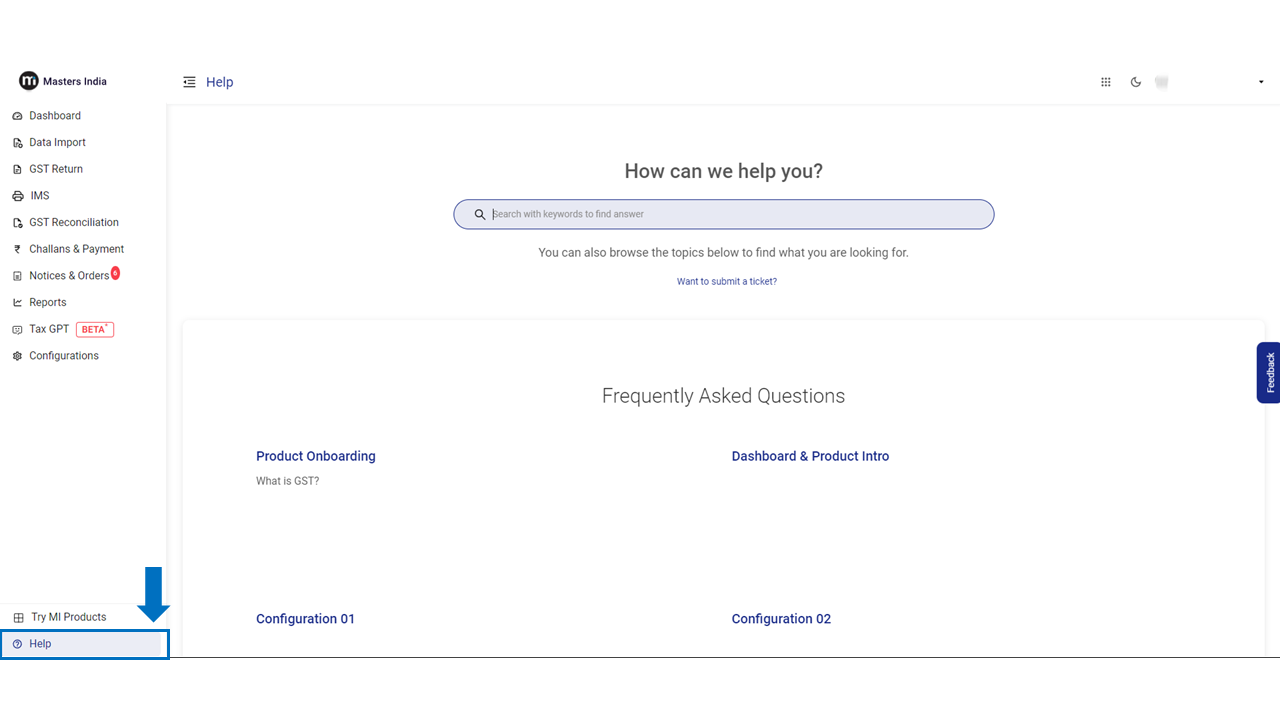
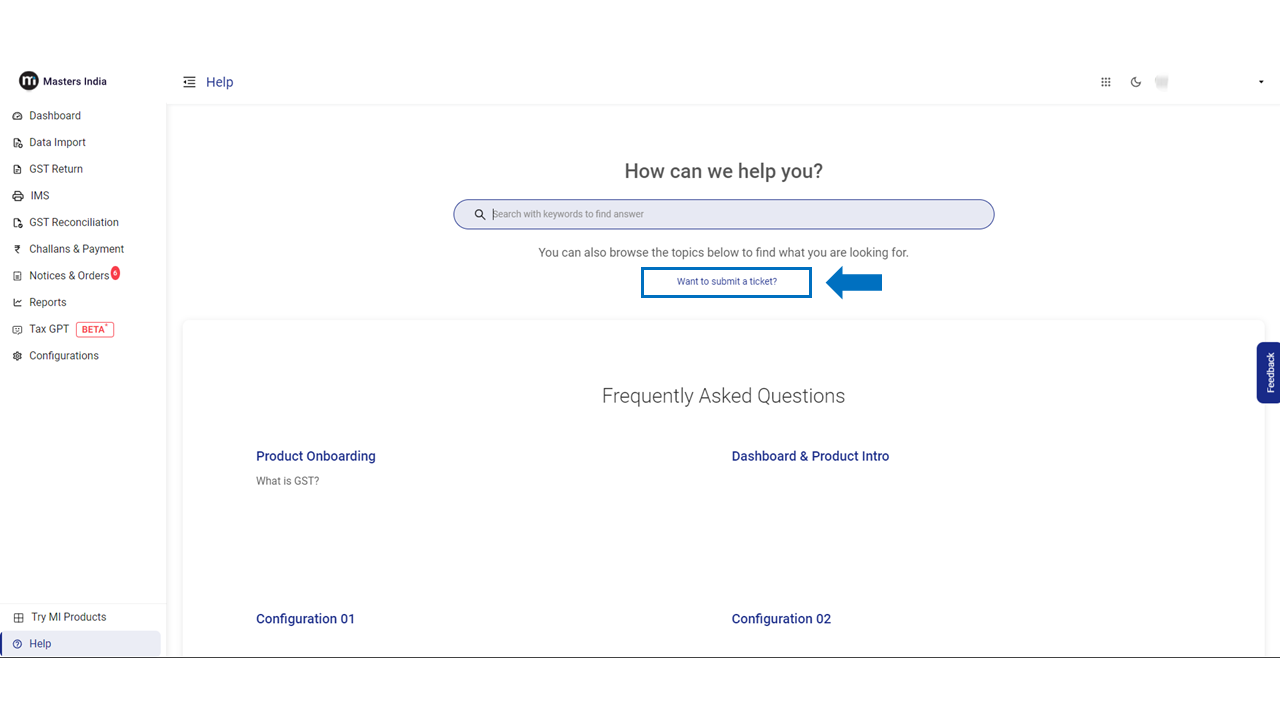
To open a ticket on Masters India GST Software. Go to the Help & Support Section and click on the "Submit GST tickets" button.

<figure><img src="https://507141841-files.gitbook.io/~/files/v0/b/gitbook-x-prod.appspot.com/o/spaces%2FTj4mNaIBCLDGyjgf1F3A%2Fuploads%2FgoNBBMOEihfV4Vg2UEvS%2FSlide1.PNG?alt=media&#x26;token=9d71f5be-d553-460f-ad14-cbe9783c3e8d" alt=""><figcaption></figcaption></figure>

<figure><img src="https://507141841-files.gitbook.io/~/files/v0/b/gitbook-x-prod.appspot.com/o/spaces%2FTj4mNaIBCLDGyjgf1F3A%2Fuploads%2FpbrCWLPLUk6325pUOza4%2FSlide2.PNG?alt=media&#x26;token=45cbfe38-846c-4804-858c-82f328768220" alt=""><figcaption></figcaption></figure>

Select a request type to Submit a ticket.

<figure><img src="https://507141841-files.gitbook.io/~/files/v0/b/gitbook-x-prod.appspot.com/o/spaces%2FTj4mNaIBCLDGyjgf1F3A%2Fuploads%2FeeqEpHaa74ZXY1Qey4XC%2FScreenshot%202023-01-04%20at%2011.52.36%20AM.png?alt=media&#x26;token=83d23022-0de3-4bfd-b1e4-42534723b032" alt=""><figcaption></figcaption></figure>

* Fill in your name & Email.
* Briefly Describe the issue/concern in the summary tab.
* Choose a component and attach a file/Screenshot.
* Click on the "Send" button to Submit.
<figure><img src="https://507141841-files.gitbook.io/~/files/v0/b/gitbook-x-prod.appspot.com/o/spaces%2FTj4mNaIBCLDGyjgf1F3A%2Fuploads%2FYSjtyBY9gapGEUJ066m3%2FScreenshot%202023-01-04%20at%2012.02.42%20PM.png?alt=media&#x26;token=80f62bf7-a02b-4ca0-8b89-1bac3c1b5ccd" alt=""><figcaption></figcaption></figure>
